

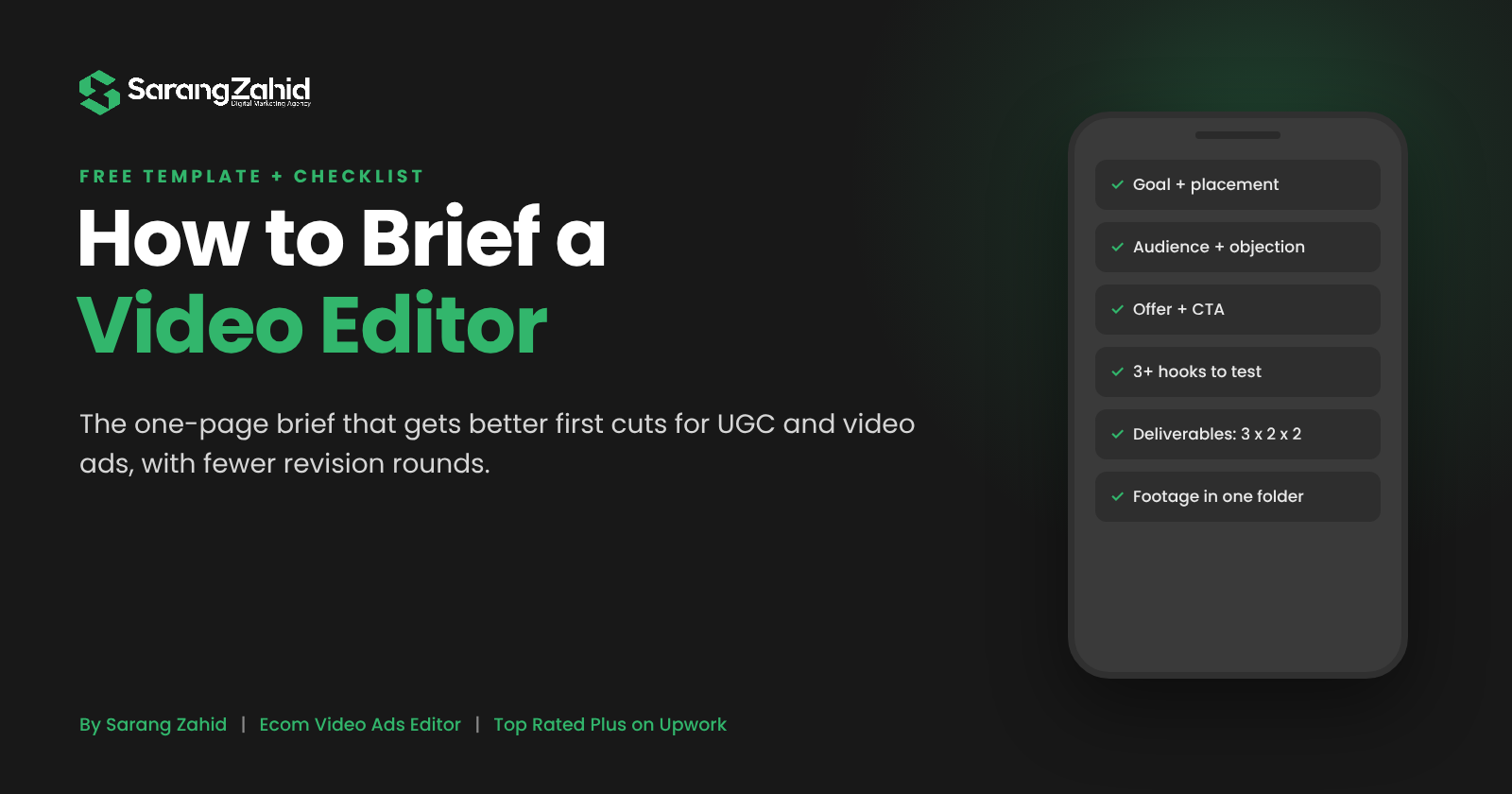
A good video editor brief answers eight questions before the edit starts: the goal, the audience, the offer, the one key message, the hooks to test, the formats and lengths, the brand rules, and the deadline. Add links to all footage, a reference ad you like, and the exact deliverables list. A one-page brief like this cuts revision rounds, gets you a stronger first cut, and makes every variation testable.
Most bad edits are not bad editing. They are bad briefs.
A brand sends a Google Drive link with 40 clips, writes “make it engaging, like the ones on TikTok”, and waits. Two days later the first cut arrives, and it is a nice video that answers a question nobody asked. Then come three rounds of revisions, a missed launch date and a creative that never gets a fair test.
I edit UGC, AI UGC and Meta ad videos every week for ecom and DTC brands and agencies. The projects that go smoothly all have one thing in common: a clear brief on day one. In this guide I will show you exactly what to put in a video editor brief, what footage to send, the mistakes that slow everything down, and a free template you can copy.
What Is a Video Editor Brief?
A video editor brief is a short document that tells your editor what the ad must achieve, who it is for, what it must say, and what files you need back. It is not a script and it is not a mood board. It is the set of decisions an editor should not have to guess.
Think of it as the difference between “edit this” and “edit this so a 30 year old runner who hates blisters clicks Shop Now within 20 seconds”. The second version gives the editor something to aim at.
Brief vs Script vs Shot List
| Document | Who writes it | What it answers |
| Creative brief | Brand or media buyer | Why the ad exists, who it targets, what must be said, what to deliver |
| Script | Copywriter or creator | The exact words and scene order |
| Shot list | Creator or videographer | Which clips to film and how |
| Editor brief | Brand, agency or media buyer | How to turn the footage into ads that can be tested |
If you already have a script, the editor brief sits on top of it. It tells the editor which lines are the hook, which parts can be cut, and how many versions you need.
Why a Good Brief Matters More for Ads Than for Content
Organic content can be judged by taste. Ads are judged by numbers. That changes what the editor needs to know.
- The goal decides the structure. A cold-traffic prospecting ad needs a strong hook and a clear problem. A retargeting ad can open with the offer.
- The platform decides the format. Meta and TikTok placements need 9:16, 4:5 and 1:1 cuts with text kept inside safe zones. If the editor does not know where the ad will run, you get one format and a re-export later.
- Testing needs planned variations. Since Meta’s Andromeda update, creative is doing much of the targeting work, and ads that look too similar are treated as one. Your brief should say which parts change between versions (hook, opener, CTA) so each variation is a real test. I cover this in my guide to video ad editing for ecom brands.
A clear brief also saves money. Every revision round is time you pay for and days your ad is not running.
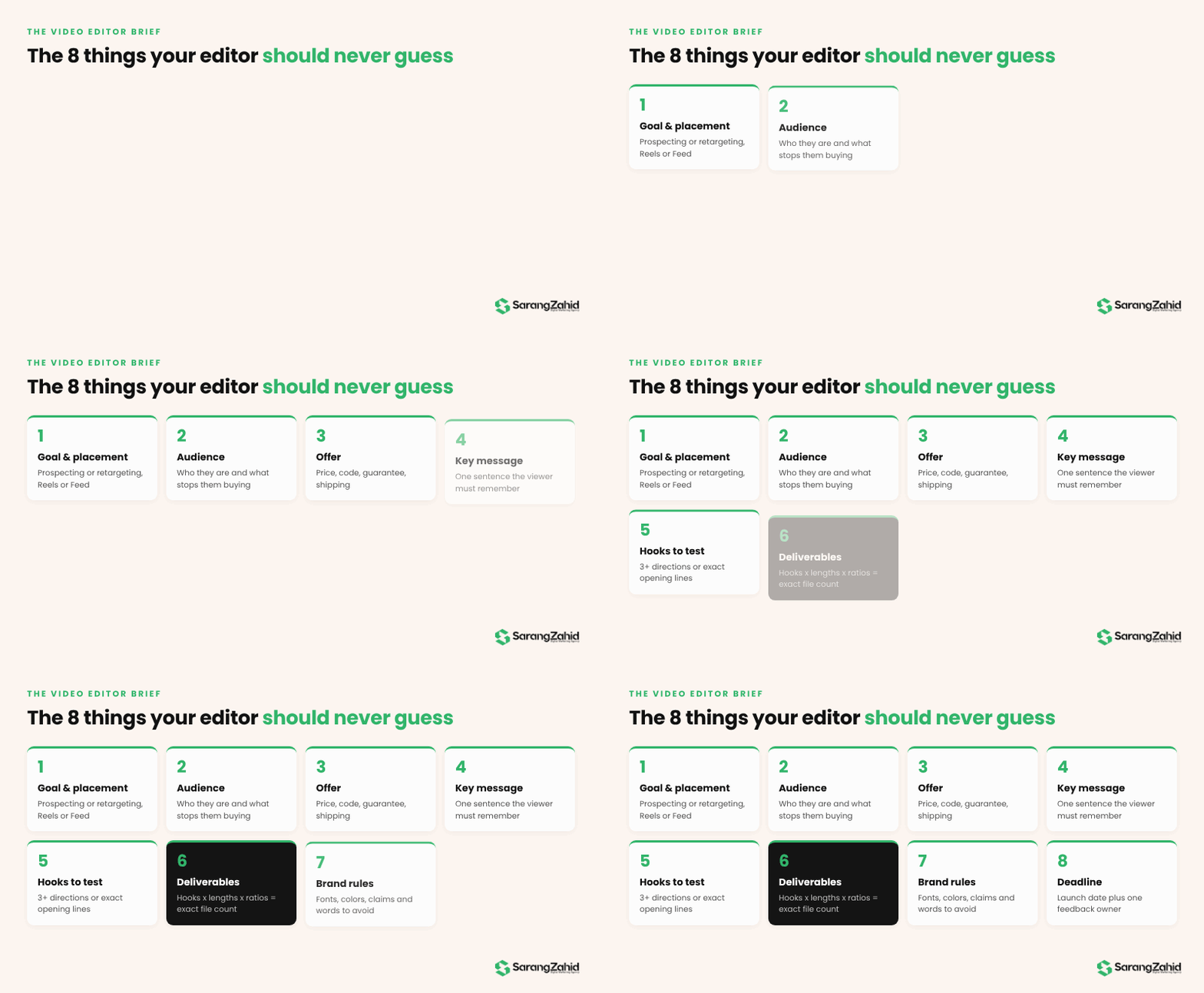
The 8 Things Every Video Editor Brief Needs
1. The Goal and Where the Ad Will Run
One sentence: what should this ad do, and in which campaign? For example: “Prospecting ad for Meta Advantage+ Shopping, optimized for purchases, running in Reels and Feed.” This tells the editor how hard the hook must work and which formats matter most.
2. The Audience
Who is watching, and what do they already believe? Two or three lines are enough: age range, the problem they have, and the objection that stops them buying. “Busy moms who think meal kits are too expensive” is far more useful than “women 25 to 45”.
3. The Offer
What are you selling, at what price, with what deal? Include the discount code, free shipping threshold, guarantee or bundle. If the offer changes by market, say so. The offer usually lands in the last third of the ad, so the editor needs it in writing, not in a voice note.
4. The One Key Message
If the viewer remembers only one thing, what should it be? Pick one. “It is waterproof” or “it pays for itself in two months”. Ads that try to say five things usually say nothing.
5. Hooks and Angles to Test
List the hooks you want, or ask the editor to suggest them. A good brief names at least three hook directions, for example a pain call-out, a result-first hook and a POV hook. If you need ideas, my list of 15 video ad hooks that stop the scroll is a good starting point.
6. Formats, Lengths and Deliverables
Be exact. “3 hooks x 1 body x 2 lengths (15s and 30s) in 9:16 and 4:5 = 12 files” leaves nothing to guess. Also say whether you need captions burned in, a version without music, or a still frame for a thumbnail.
7. Brand Rules
Fonts, colors, logo files, words to avoid, legal claims you cannot make, and music rules. If your product is in a regulated space (supplements, finance, skincare), list the claims that need a disclaimer. Attach a brand kit if you have one.
8. Deadline and Feedback Process
Give the launch date, not only the delivery date, so the editor can plan around it. Name one person who gives feedback, and say how many revision rounds you expect. One decision maker is faster than three people commenting at once.
What Footage and Files to Send
The brief tells the editor what to make. The files decide what is possible. Send these together in one shared folder:
- All raw clips, not only your favorites. The best hook is often a moment the creator did not think was important.
- Original quality files. Download from the creator platform or Drive directly. Clips forwarded through WhatsApp or Instagram DMs lose quality.
- Product shots and B-roll. Close-ups, packaging, the product in use, and any before and after footage.
- Proof assets. Screenshots of real reviews, star ratings, press logos and results you are allowed to show.
- Brand kit. Logo (PNG and SVG), fonts, color codes and any lower-third or end-card templates.
- 1 to 3 reference ads. Ads you like, with a note on what you like about each one: the pacing, the captions, the hook style.
- Past performance data, if you have it. Your best ad and its hook rate or CTR tells an editor more than any mood board.
If you do not have creator footage yet, say so in the brief. Some angles can be tested first with AI UGC and then re-shot with real creators once you know what works. I explain when that makes sense in UGC vs AI UGC ads.
Free Video Editor Brief Template
Copy this into a Google Doc or Notion page and fill it in for every project.
| Section | Your answer |
| Project name | Brand, product, campaign, month |
| Goal and campaign | e.g. Prospecting, Meta, purchase optimized |
| Platforms and placements | Meta Reels, Feed, Stories, TikTok |
| Audience | Who, their problem, their main objection |
| Offer | Price, discount, code, guarantee |
| One key message | One sentence |
| Hooks to test | 3 or more directions or exact lines |
| Must include | Product shots, claims, proof, CTA wording |
| Must avoid | Words, claims, competitors, music |
| Deliverables | Number of hooks x bodies x lengths x ratios |
| Captions and text | Burned in, style, language |
| Brand assets | Link to logo, fonts, colors |
| Footage link | One folder, all raw files |
| Reference ads | 1 to 3 links with notes |
| Deadline | Delivery date and launch date |
| Feedback owner | One name, number of revision rounds |
How the Process Works After You Send the Brief

- Brief and footage review. The editor reads the brief, watches all footage and flags gaps (a missing product shot, an unclear claim) before cutting.
- First cut. One full version built around the strongest hook and the key message. For most UGC ads, I deliver this in 24 to 48 hours.
- Feedback round. You give consolidated notes on the first cut. Notes on story and message come first, small visual tweaks later.
- Variations and export. Once the base edit is approved, the editor builds the hook and length variations, exports every ratio and names files so your media buyer can launch the same day.
7 Briefing Mistakes That Slow Down Your Ads
- “Make it viral.” Not a goal. Say what the ad should make people do.
- No audience. The same footage can be cut for a skeptic or a fan, and the edits look nothing alike.
- Too many messages. Pick one key message per ad. Put the others in separate variations.
- Feedback from five people. Combine notes before you send them, and name one decision maker.
- Missing files. If the logo, offer or product shots arrive after the first cut, you pay for a second one.
- No deliverables list. “A few versions” turns into a negotiation. Write the number.
- Changing the goal mid-edit. If the campaign changes, send a new brief rather than patching the old one in comments.
Have footage but no time to write a brief? Send me what you have and I will turn it into a brief and a first cut. See my projects or start a project.
Key Takeaways
- A video editor brief is about decisions, not creativity: goal, audience, offer, message, hooks, deliverables, brand rules and deadline.
- Send all raw footage in original quality, plus proof assets and 1 to 3 reference ads.
- Write the deliverables as a formula (hooks x bodies x lengths x ratios) so nothing is left to guess.
- Plan variations in the brief, because testing different hooks is what finds winning ads.
- One feedback owner and consolidated notes cut revision time in half.
Final Thoughts
Your editor can only be as clear as your brief. Fifteen minutes spent filling in the template above usually saves days of back and forth, and it gives every ad a real chance to win in testing. Start with the eight questions, attach the footage, and let the editor focus on what they do best: turning raw clips into ads that sell.
If you want a second pair of eyes on your next brief, I edit UGC video ads and Meta ad videos for ecom brands and agencies every week.
FAQs About Briefing a Video Editor
What should a video editor brief include?
The goal and platform, the target audience, the offer, one key message, the hooks to test, the exact deliverables (formats, lengths, ratios), brand rules, the deadline and one feedback owner. Add a link to all footage and 1 to 3 reference ads.
How long should a video editing brief be?
One page is enough for most ads. If the brief is longer than two pages, the key message is usually not clear yet.
Do I need a script before hiring a video editor?
Not always. For UGC ads, the creator often speaks freely and the editor finds the story in the footage. A brief with the key message and hooks matters more than a word-for-word script.
How many revisions should I expect?
With a clear brief, most ads need one or two rounds. More than that usually means the brief was missing information or the goal changed.
What file format should I send footage in?
The original files from the camera or phone, usually MP4 or MOV, shared through Google Drive, Dropbox or Frame.io. Avoid sending clips through messaging apps, which compress the video.
Can a video editor write the hooks for me?
Yes. Many ad editors suggest hooks based on the footage and the audience. Say in the brief whether you want suggestions or have fixed hook lines already.
[AUTHOR BOX: same as other posts] About the Author: Sarang Zahid is an ecom and DTC video ads editor with 5+ years of experience. He is Top Rated Plus on Upwork (Top 5% of talent) and edits UGC, AI UGC and VSL ads for brands on Meta and TikTok. Work with Sarang.
Sources: Jon Loomer: How many ads is too many? (Meta’s creative diversification guidance).